Check the full-game save list
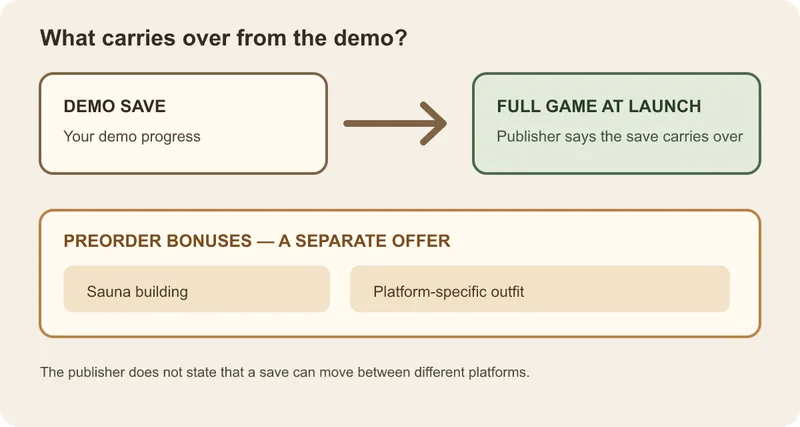
- Start the full game on the platform where you played the demo and open its save list. A visible demo save there is the transfer check. [1] [2]
- On Steam PC, if the save is missing, copy both the .info and .dat files from the demo save folder into the full-game save folder using the official Steam save-transfer steps. [3]
- On Nintendo Switch, PlayStation, or Xbox, keep the demo save and contact that platform’s support if the same-platform save list is empty. The published file-transfer steps cover Steam PC only; they do not provide a cross-platform transfer guarantee. [3]
Are there rewards for completing the demo?
Completing the demo has no separately listed reward. The Sauna building and a platform-specific outfit were preorder bonuses, and that offer ended when the game launched on September 22, 2026. If one of those bonuses is missing, check its purchase or platform entitlement separately from the demo save. [2]
If you still need the demo, use the official demo access and PC launch guide. For its length and gameplay scope, see the demo content and end-point guide. The broader price, editions, and preorder bonus guide covers the offer’s purchase context.